Write-off configuration
One-time configuration, done after connecting — it applies to all subsequent write-offs for that account.
Create the write-off configuration (export via API)
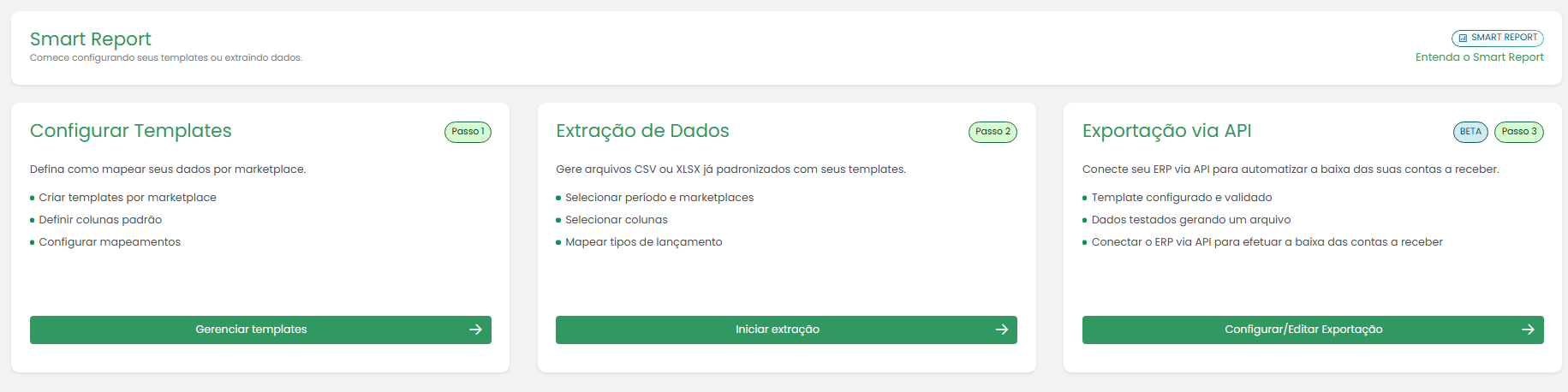
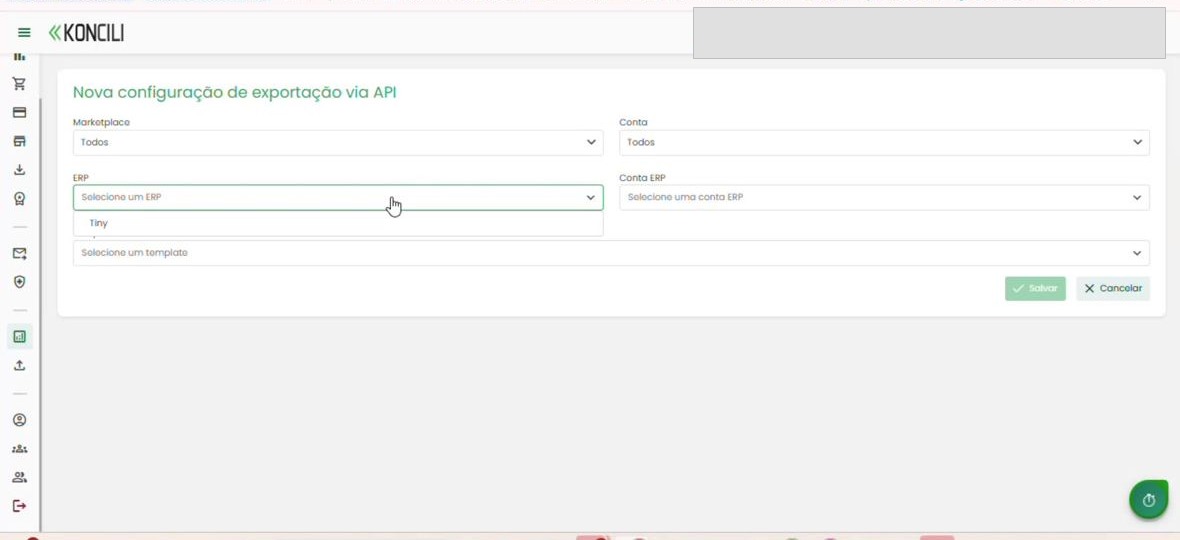
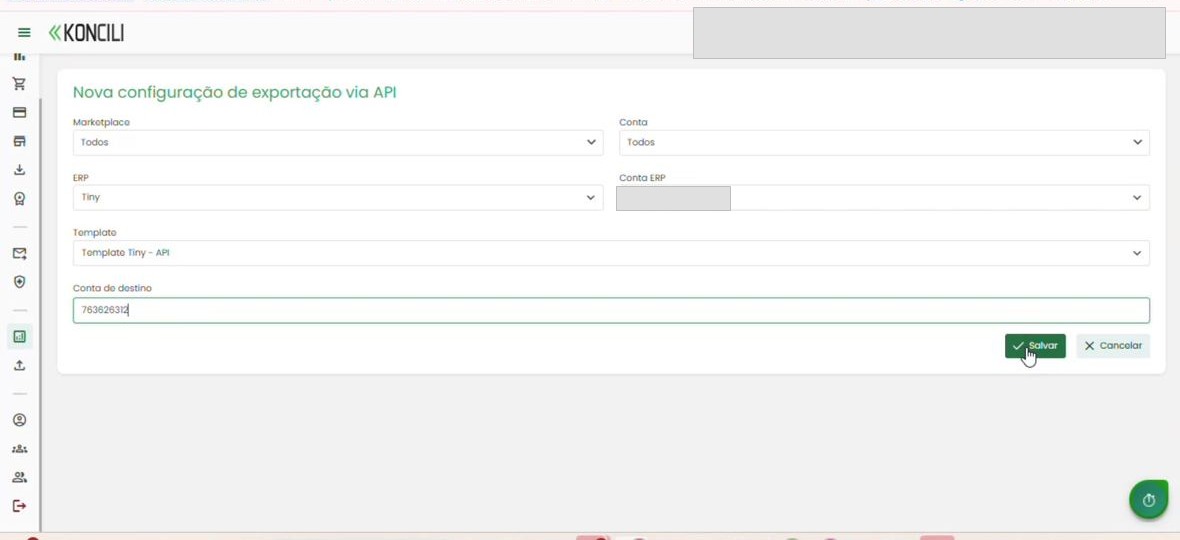
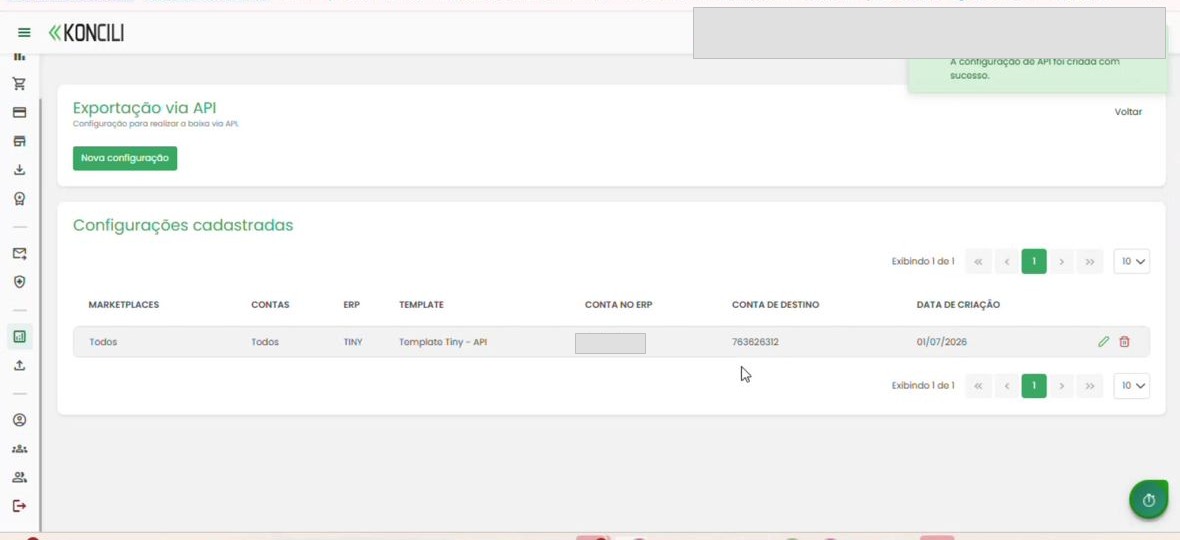
In Koncili, go to Smart Report and open the Export via API tab. Click New configuration.
Fill in the fields: Marketplace, Account, ERP (Olist/Tiny), ERP account and Template.
For Olist/Tiny, the default template is Tiny - API.
Find the Target Account number in Olist/Tiny
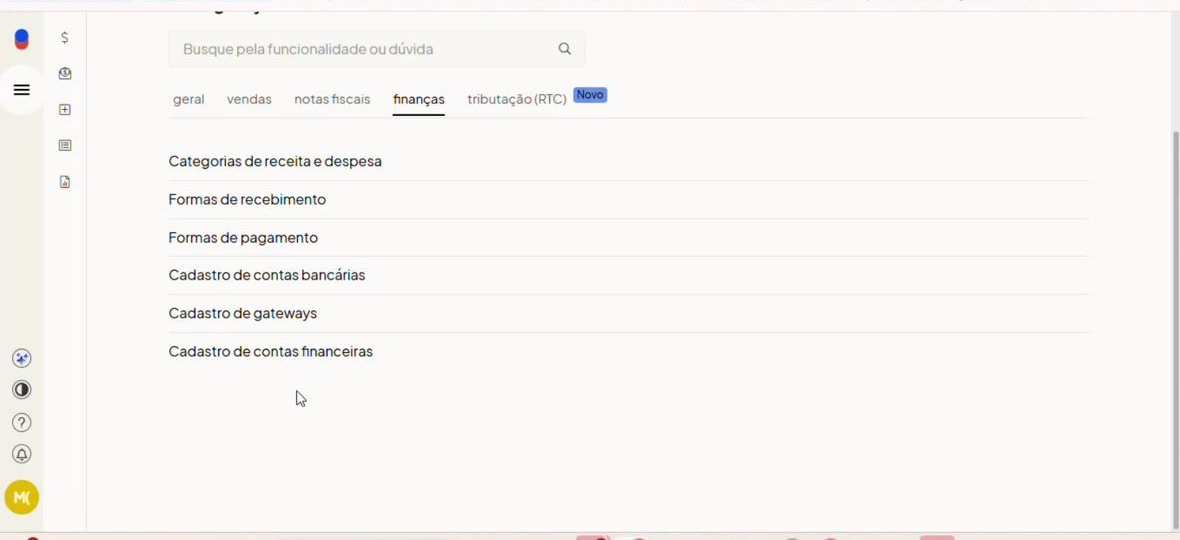
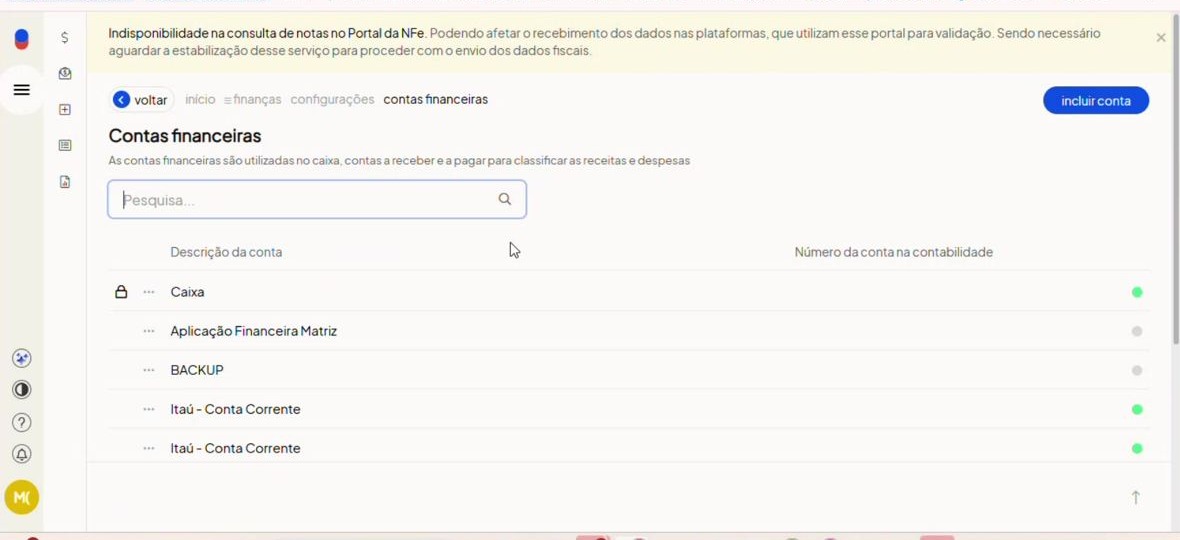
This number does not appear directly on a functional Olist/Tiny screen. To get the value, open Olist/Tiny at Settings > Finance > Financial accounts registry.
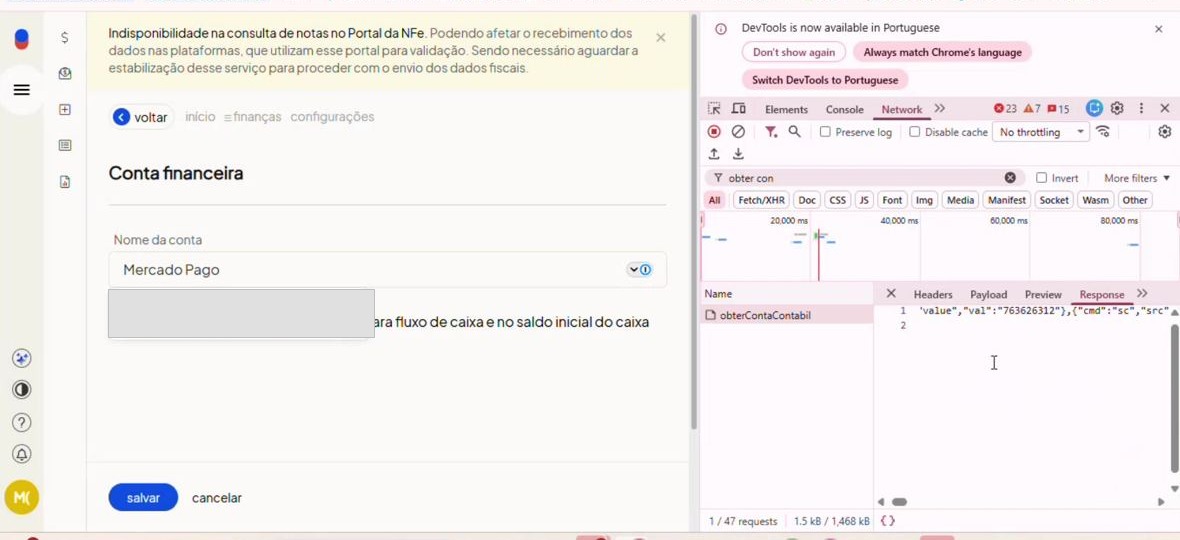
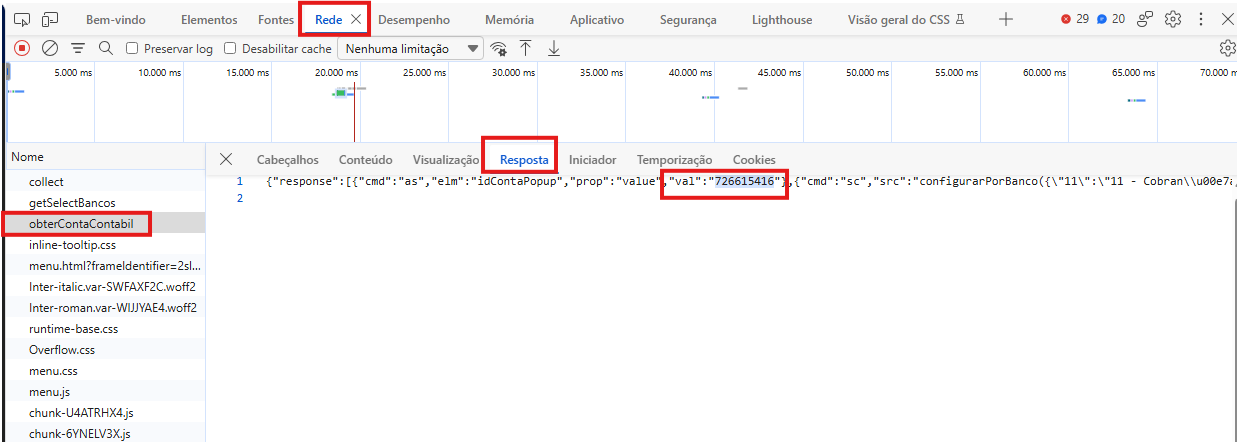
With the screen open, use the browser DevTools (F12), go to the network tab and click the desired account to trigger the request; then filter by obter.
Open the obterContaContabil call and, in the response, copy the number from the val field (e.g. 76).
Paste this number into the Target Account field of the configuration and save.
Adjust the export template (when needed)
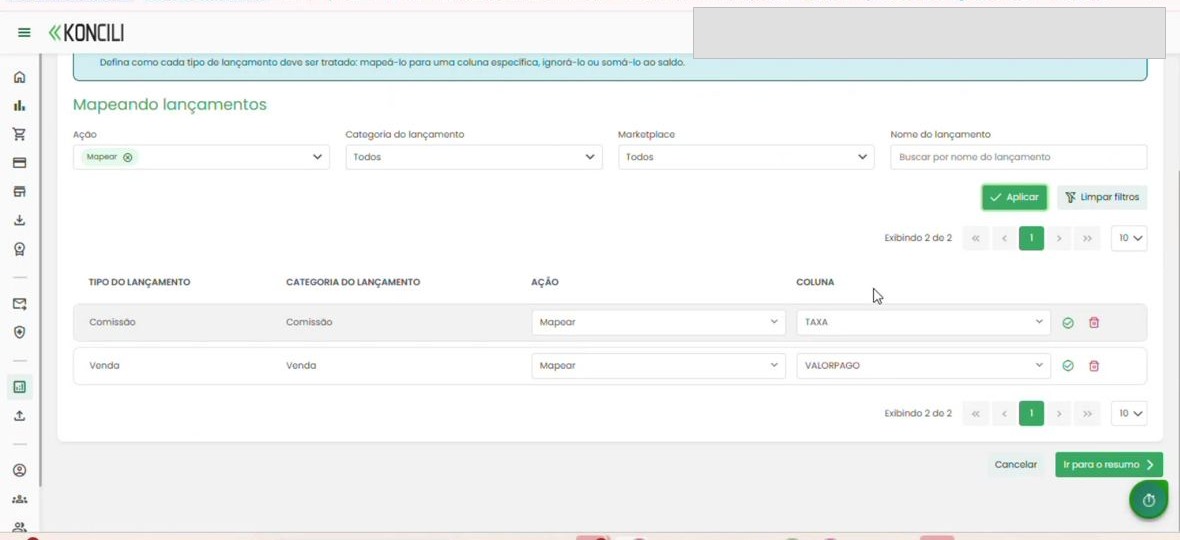
In Smart Report > Templates, open the Tiny - API template. The format is fixed (no adding or removing columns), but the value mapping can be adjusted.
The default considers Sale + Commission in the paid amount. If your operation uses only the gross amount, adjust the mapping by removing the commission from the calculation.